TV remote app
Samsung TV Remote App for Android and iOS
Loungemote turns your phone or tablet into a remote for Samsung smart TVs with Tizen, from 2016 and later. It works over your Wi-Fi, so you need no infrared blaster and no Samsung account.
iPhone and iPad version coming soon
- 3 days free
- No ads
- No account
What you can do
Free:
- Find and pair your TV, then press a first key to check that it responds
- Demo TV to try every feature without a TV
With Loungemote Pro (eligible new subscribers can try the weekly plan free for 3 days):
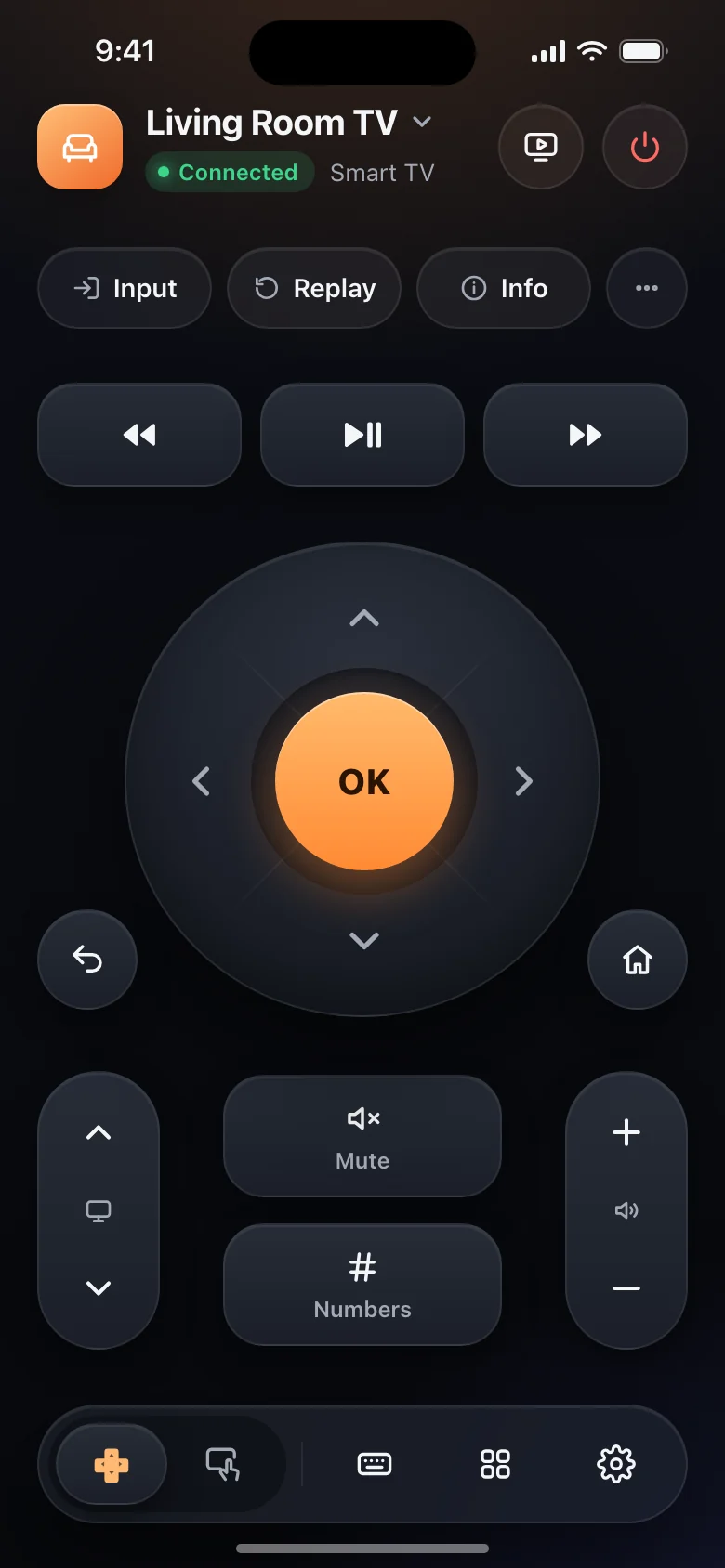
- Directional pad, OK, Back and Home, volume, mute, channels and playback keys
- Turn the TV on over Wi-Fi, on TVs that support it
- Simple layout with big buttons
- Phone keyboard: type searches and sign-ins with your phone keyboard. Samsung TVs receive the text when you press Return.
- Apps in one tap: open the apps on the TV from your phone
- Swipe touchpad for one-handed navigation
- Every TV at home: save several TVs and switch in a tap
- Casting: photos, slideshows, videos, files and links
- Siri and Shortcuts (iOS only, coming soon): turn the TV on or off, mute it or open an app by voice
Some features depend on the TV model and its software.
Set up in three steps
- Connect your phone and the TV to the same Wi-Fi network. Guest networks often block the connection.
- Open Loungemote. It finds the TV on your network by itself.
- Select Allow on the TV when it asks whether to trust your phone. If you can’t find the TV remote, use the buttons on the TV.
Pairing happens only the first time. Next time, the app reconnects when you open it. If the TV does not appear, choose Add by IP address and type the address from the TV’s network settings.
Turn the TV on from your phone
Samsung TVs can start from the network. On the TV, turn on Power On with Mobile. On most models it is in Settings > General > Network > Expert Settings. Then Loungemote can turn the TV on.
Good to know
- Samsung TVs made before 2016 are not supported.
- Your phone and the TV must be on the same Wi-Fi network. Loungemote does not use infrared, and it cannot control the TV from outside your home.
Questions about Samsung TVs
Does Loungemote work with Samsung Frame and QLED TVs?
Yes, if the TV runs Tizen, which Samsung smart TVs from 2016 and later do. That includes The Frame, QLED, Neo QLED and Crystal UHD models.
Is it the same as Samsung SmartThings?
No. Loungemote is an independent remote app. It needs no Samsung account and talks to the TV directly over your Wi-Fi.
Why doesn't my Samsung TV turn on from the app?
Turn on Power On with Mobile on the TV. Without it, a Samsung TV that is off stops listening to the network.
Get Loungemote
Android needs Android 8.0 or later. iPhone and iPad need iOS 17 or iPadOS 17 or later. Setup, pairing, the first key press and Demo TV are free, with no ads. Continued TV control needs Loungemote Pro. Eligible new subscribers can try the weekly plan free for 3 days; prices and offers appear before payment.
iPhone and iPad version coming soon
Other TVs
- Roku: Roku TVs and Roku streaming players
- LG: Smart TVs with webOS
- Android TV and Google TV: TVs and streaming devices, including Philips sets with Google TV
- Amazon Fire TV: Fire TV streaming devices and TVs
- Vizio: SmartCast TVs
- Sony: Bravia TVs
- Xiaomi: TVs with PatchWall
- Hisense: TVs with VIDAA
- Philips: TVs with Titan OS or Saphi
More help is on the support page.
Roku, Samsung, Tizen, LG, webOS, Android TV, Google TV, Google Cast, Chromecast, Amazon, Fire TV, Vizio, SmartCast, Sony, Bravia, Xiaomi, Hisense, VIDAA, Philips, Titan OS and AirPlay are trademarks of their respective owners. Loungemote is an independent app and is not affiliated with or endorsed by these companies.